

Confluence pages are behind authentication, so Context7 reaches them with the token you configure. The token needs read access to the spaces you want to index.
Connect Confluence
Open Settings → Integrations → Confluence, choose your deployment, fill in the fields, and use Test connection to confirm before saving.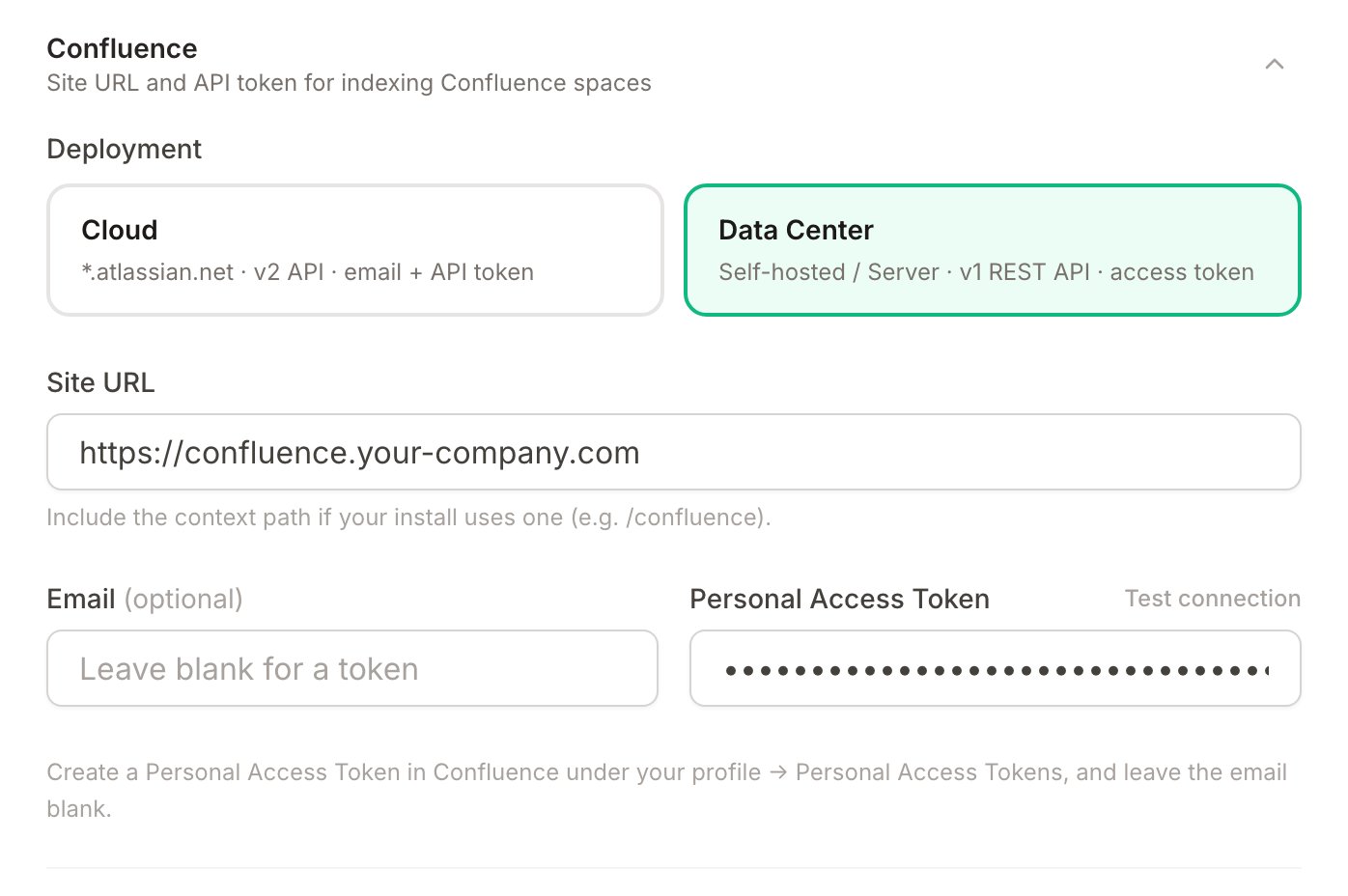
- Cloud
- Data Center / Server
Cloud uses the Confluence v2 REST API and authenticates with the email and API token together.
Point Context7 at a service account rather than a personal login, so indexing does not depend on one person’s access.
Index a space
Go to Add and choose Confluence.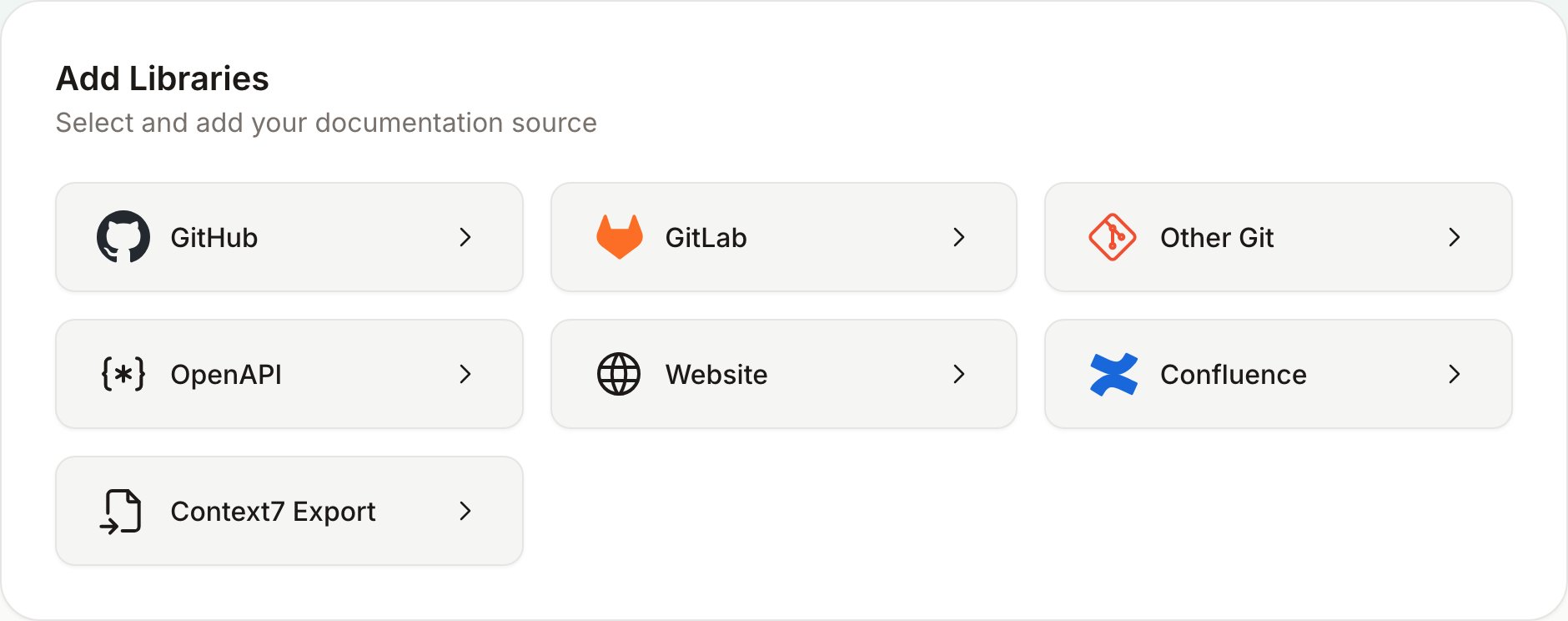
- Browse spaces — pick a space, then index the whole space or select pages from its tree.
- By page URL — paste the URLs of the exact pages you want. No page tree is loaded, so it stays fast even for spaces with thousands of pages, and the pages can come from different spaces.
Browse spaces
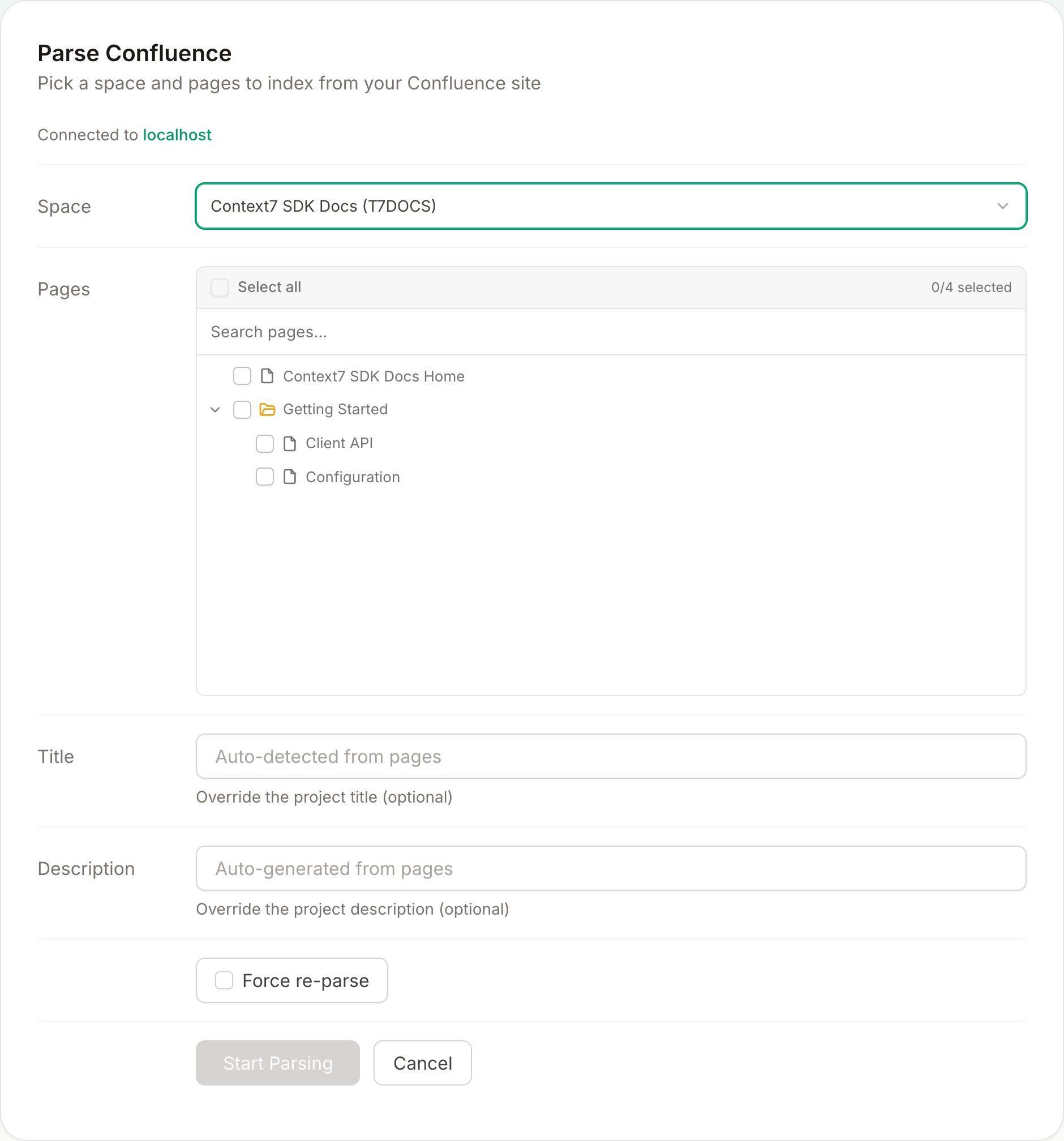
1
Select a space
Open the space picker and choose a space. The list is fetched the first time you open it, so opening the form does no work until you ask for it.
2
Choose the scope
Leave Index the entire space on to index everything, which is the fastest path and the right choice for large spaces. Turn it off to pick individual pages: the page tree mirrors the space hierarchy, so selecting a parent selects its children. Very large spaces load their pages in batches — use Load more pages to fetch the rest, and the search box to filter.
3
Start parsing
Context7 fetches the pages, converts them to Markdown (code blocks, tables, and callouts are preserved), and indexes them. The project appears under your libraries when it finishes.
By page URL
Choose By page URL to index a specific set of pages without browsing a space. This is the fastest way to index a handful of pages, and it avoids loading a large space’s page tree into the browser.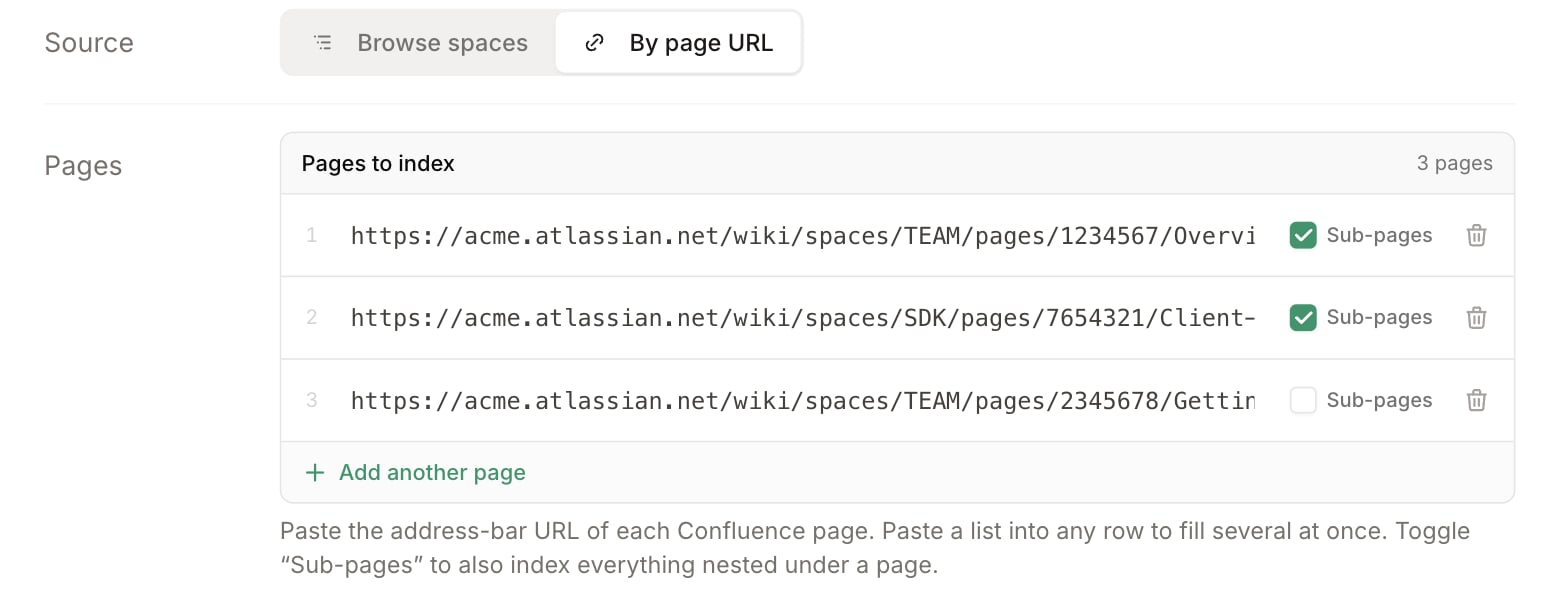
1
Add page URLs
Paste the address-bar URL of each page into its own row. Paste a whole list at once and it splits into one row per URL. Use a URL that contains the page id, for example
https://your-site.atlassian.net/wiki/spaces/TEAM/pages/12345/Overview (Cloud) or https://confluence.your-company.com/pages/viewpage.action?pageId=12345 (Data Center). The pages may come from different spaces.2
Choose sub-pages
Each row has a Sub-pages toggle (on by default). Leave it on to also index everything nested under that page; turn it off to index just the page itself.
3
Start parsing
Any URL that can’t be resolved is flagged inline with the reason, so you can fix or remove it. Once every row resolves, Context7 indexes the pages the same way as a space.
Indexing the entire space means a later refresh also picks up pages added since. A specific page set — selected pages or By page URL — pins the project to exactly those pages.
type: confluence entry with either a spaceKey (whole space) or a pageUrls list (specific pages, optionally with includeSubPages). It reuses this same connection.